Install CodeThread
Visit your install link
We're still in beta and in order to install CodeThread, you must first have a CodeThread install link for your team provided by us.
If you don’t have an install link, please email us at info@codethread.ai to obtain an install link.
Download the VSIX file
Click “Download the CodeThread extension” to download a .VSIX file of the latest CodeThread release. You can save it anywhere locally on your machine, we recommend the Downloads folder.
Installing the extension in VS Code
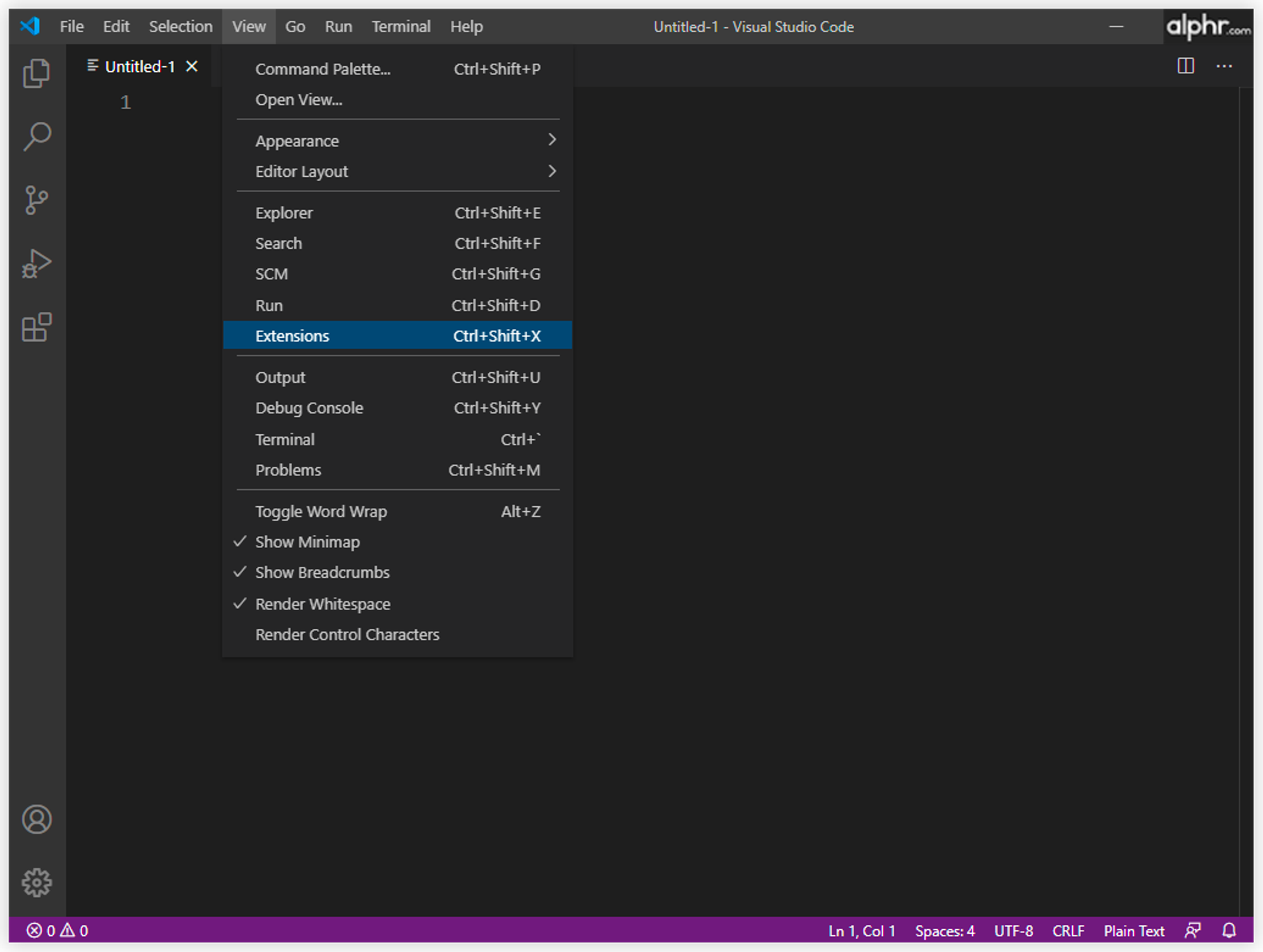
Open VS Code and then open the Extensions pane. To do this, click on the “Extensions” button in the Activity Bar. It’s located on the side of VS Code’s client. Alternatively, you can use the keyboard shortcut “Ctrl+Shift+X” to open the “Extensions” screen.
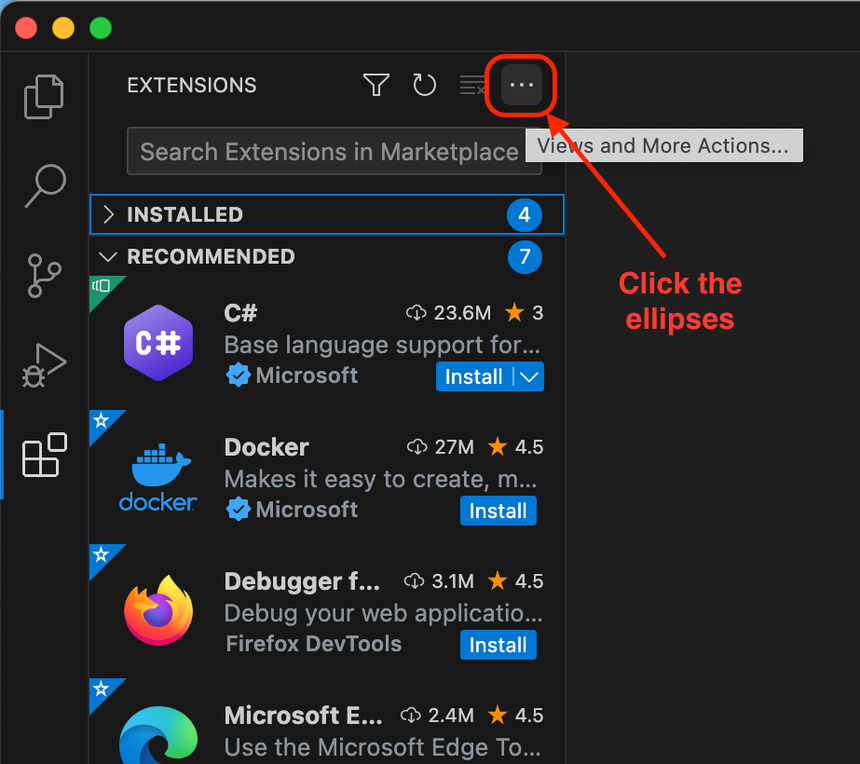
Click the ellipses in the Extensions pane
Click “Install from VSIX…”

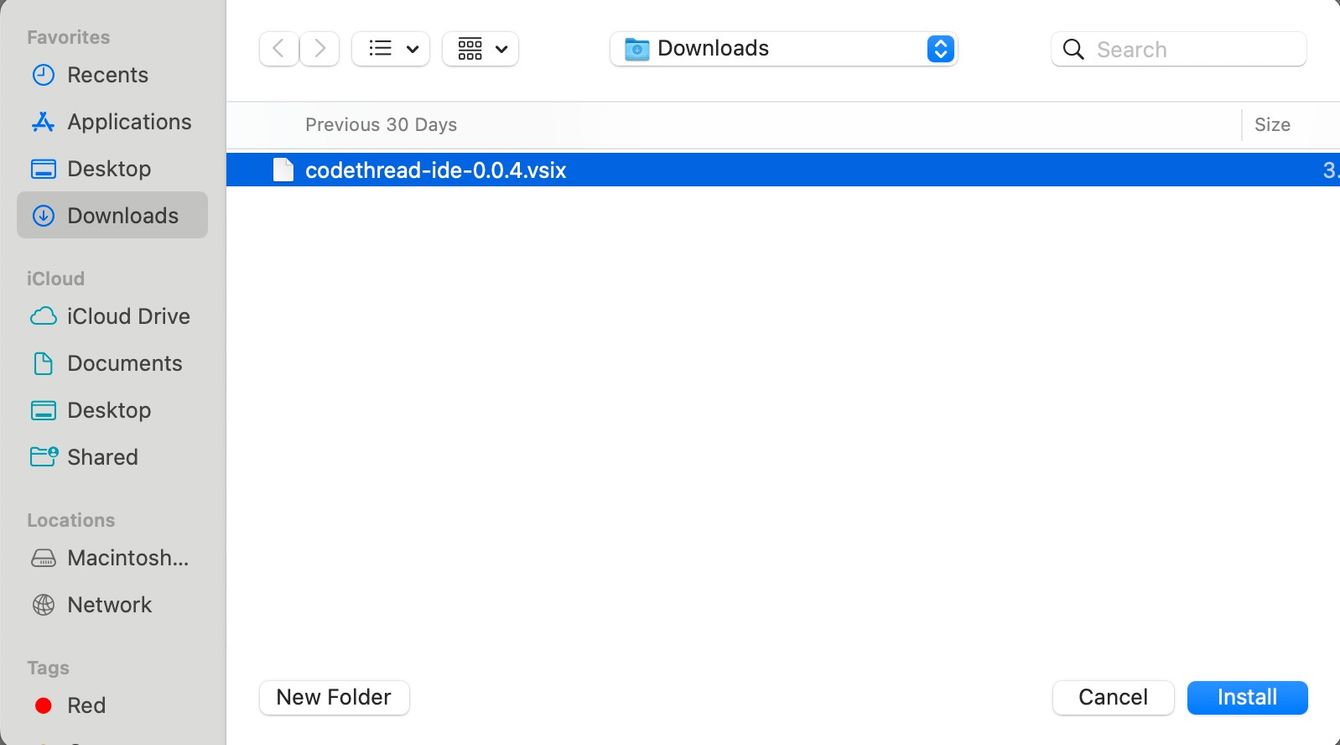
Choose the .VSIX file you downloaded and click Install
The CodeThread extension should now show up in your Extensions pane under the “INSTALLED” section. If you click on the CodeThread entry, it should open the CodeThread extension page in VS Code.
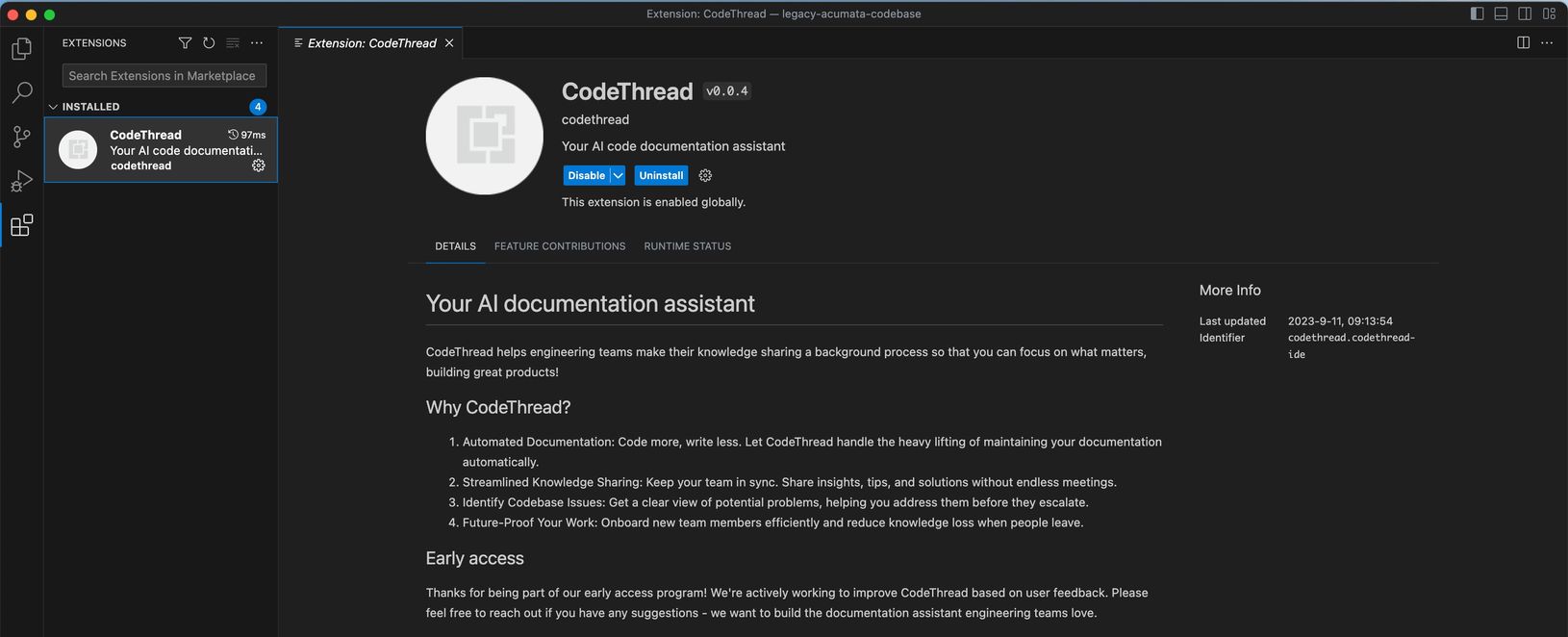
The CodeThread extension is now installed. See the next section to learn how to access and create file docs for your code.