Create a file doc
Introduction
One of the problems with external documentation or wiki tools is that it can be quite hard to find the relevant documentation for a specific piece of code. Using CodeThread, we allow you to create documentation pages which are tied directly to the code file, allowing you to open the documentation directly in the IDE with a few button presses.
To access a file doc for a specific code file, simply press the keyboard shortcut to open extension commands (cmd + shift + p) and select the "CodeThread: Open for file" command.
Auto summarize your code file
Once you have your file doc open, you can run an auto summarization which will populate the page with a quick overview of what your code file does.
Click Summarize For Me to generate an AI-generated file summary.
- You can also click Write Summary to start writing your own documentation page without AI assistance.
Use quick commands to get more info
We have created two quick commands that users have found helpful. One is “1. Get high level overview” and the other is “2. Explain domain concepts”. To use these, just click on the buttons associated with them or press the number associated with them to use a keyboard shortcut.
- High level overview - provides an overview of the data flow and operations that are happening in the code file
- Domain concepts - provides a list of domain concepts used in the code, which can be useful for building a code glossary
Generate a New Documentation Section from an Answer
To add an answer that CodeThread provides from a query or quick command to the documentation, click "2. Create a new doc section". A prompt will appear to give the new section a name.
Enter a name for the section in the prompt and click 1. Add section

The new section will now appear above in the documentation with the name you provided as a Section Header.
Editing your documentation page
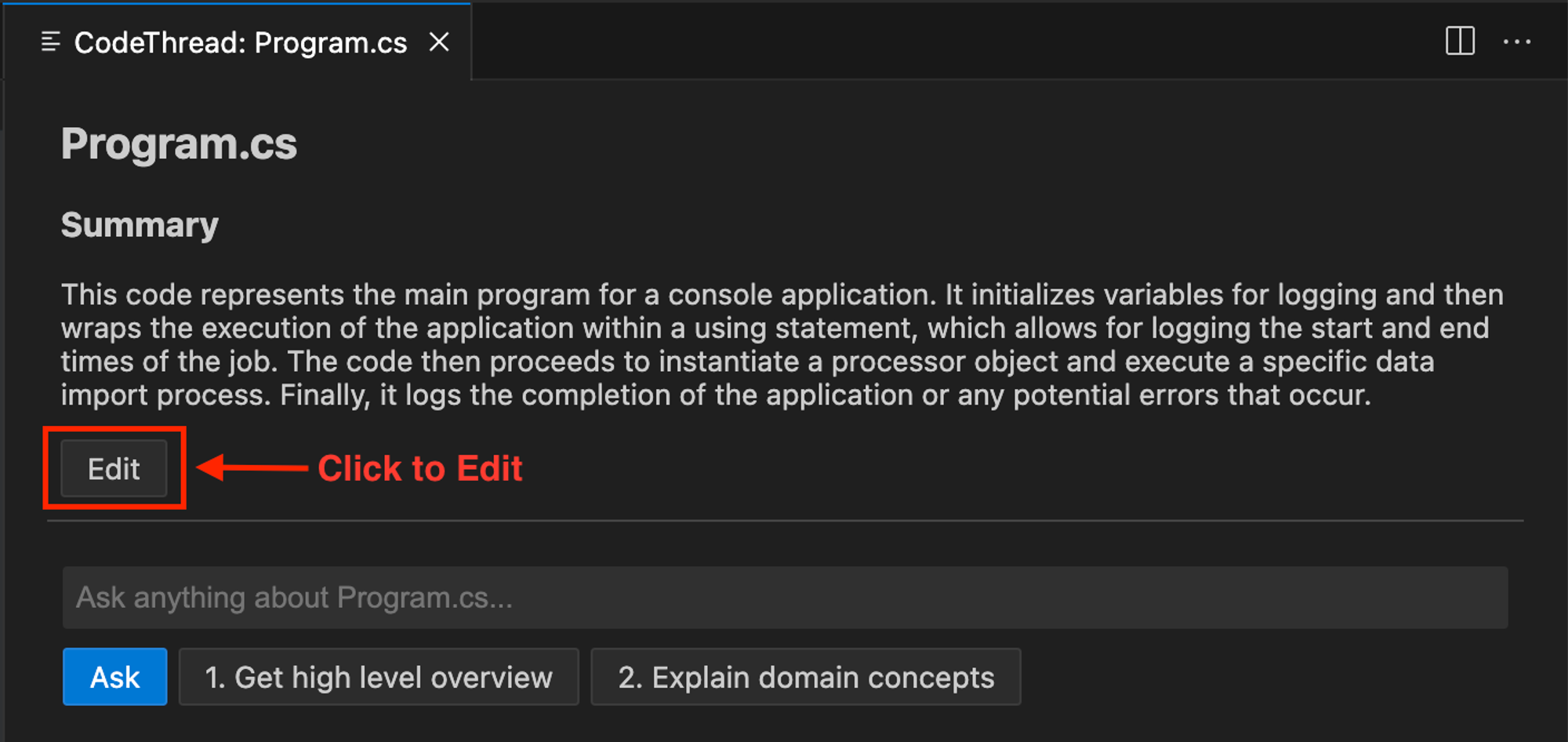
Your documentation is stored as markdown which can be edited directly within the IDE.
To edit the documentation, click the Edit button below the document.